Career Advice Felix Lee
Designing Your Brand: How Mentorship Helps Shape Your Business Identity
How mentorship can help you stand out and win in your industry
Felix LeeThe exact profile checklist FAANG recruiters scan: photo, keyword headline, About formula, Featured section, and how to set Open to Work right.

When a FAANG recruiter opens your LinkedIn profile, they scan it in seconds — not minutes. Here’s what they check, in order:
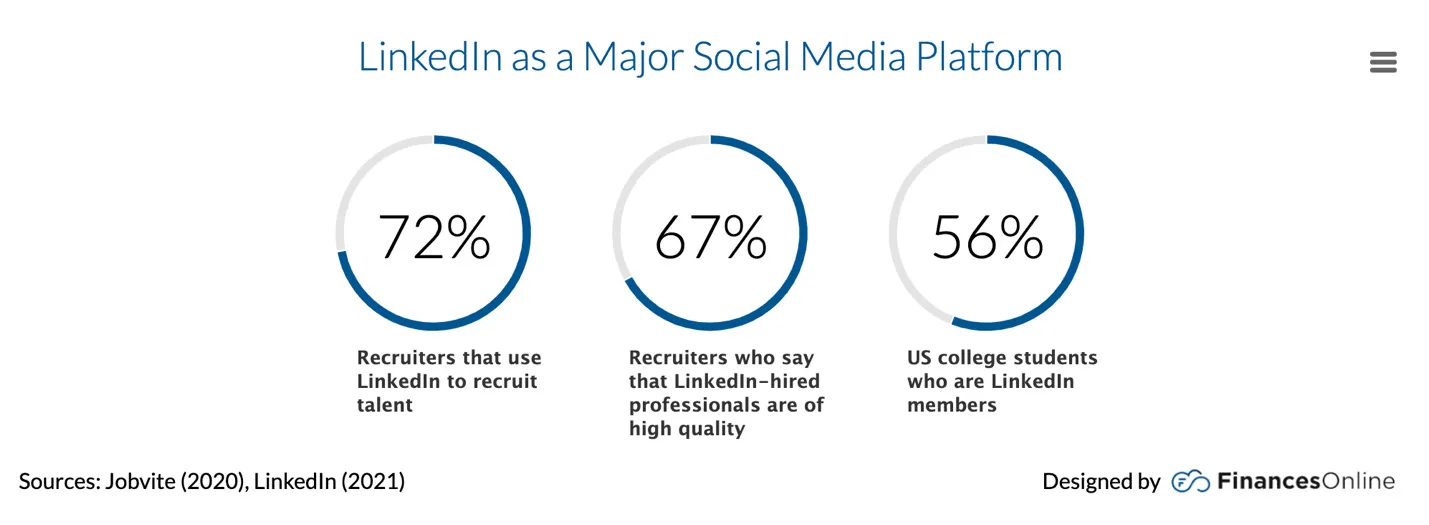
Get those seven right and you’ll show up in more recruiter searches — and convert more of the views you get. A Forbes analysis put the share of recruiters sourcing on LinkedIn at 95% back in 2020, and it has only become more central since; even conservative industry surveys put it above 70%. Either way, this is where hiring happens.
Below is the step-by-step for each element, plus advice from ADPList mentors who’ve been FAANG+ recruiters, hiring managers, and individual contributors. Enjoy!
According to LinkedIn’s own research, members with a photo get up to 21 times more profile views and 9 times more connection requests. Your profile also stays “incomplete” without one, which hurts how often you surface in search.
This sounds obvious, but after reviewing thousands of profiles, we can confirm many candidates still skip this step. Our mentors — former FAANG+ recruiters, hiring managers, and individual contributors — admit to associating a missing photo with an out-of-date or inactive profile.
Here’s an example of a strong profile picture:
Make sure the picture you use is:
Your headline is your selling point in search results — it decides whether a recruiter clicks your profile at all. You get 220 characters, but only the first ~70 show in search results and on mobile, so front-load the part that matters.
Recruiters search by keywords, so name your role and top skills explicitly. “Seeking new opportunities” is a wasted headline — nobody searches for it.
One reliable structure is the Pipe Method: your current title or position, followed by the pipe symbol, then keywords and specifics that help people understand and find you.
Title | Specific Achievement or Accolade
Example: UI Designer | Creating award-winning Mac apps
Or use this formula: what you do + who you help + your proof point.
Example: Visual designer creating digital branding that helps small- and medium-sized companies grow their customer base
Your headline is the most-seen line of your personal brand — treat it like ad copy, not a job title field.
The purpose of your About section is to attract the right opportunities and tell your story. Whether you use it to put career choices in context, highlight your biggest achievements, or show off your personality, this is your chance to put your best self out there.
You have up to 2,600 characters, but only the first ~300 (less on mobile) show before the “see more” cut-off. That opening is where we recommend a clear, focused Personal Value Proposition Statement.
💡 Keep it scannable and focus on the value and ROI behind your work. Tell them about the impact you’ve made. Use emojis or bullet points to draw attention to the achievements you want to highlight.
Gijo Mathew, chief product officer at VTS, stands out because his summary has both great substance and style. Substance is the “what to say” and comes from the topics you cover. Style is the “how to say it” and comes from the tone and format of your words:
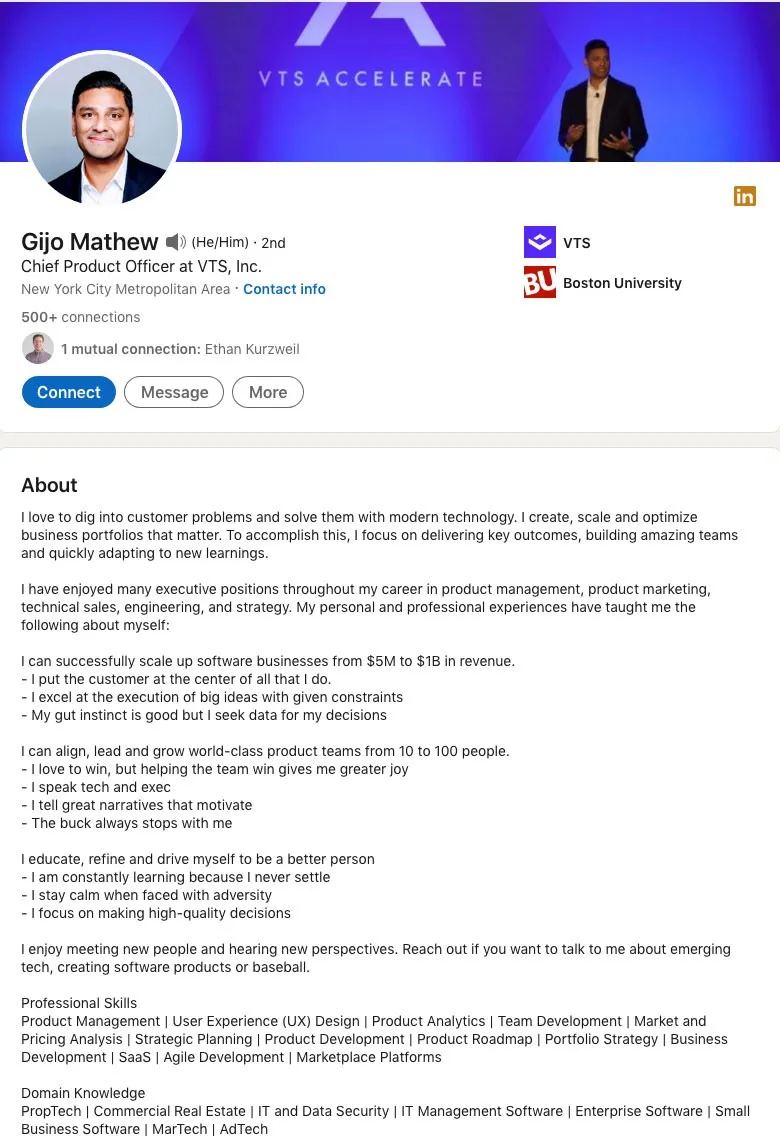
If you’re stuck, use this six-step summary formula:
Hi there! I’m [Your Name] – and I’m obsessed with all things ____. I’m driven by ____ and ____. I love impactful work, especially when it involves ____.
Here’s a question: When was the last time you thought about ____ in your business?
As a [Position] for [Company], it’s my job to think about that every day. In other words, I ____ by ____. Since [Month + Year], I’ve been [Company]’s point person for ____. While at [Company], my biggest accomplishments have been:
Prior to this role, I was at [Company], where I spent ____ years building ____ for the business and its customers. This work resulted in ____.
Professionally, I’m motivated by ____, ____, and ____. As a result of my work, I’ve been recognized by ____ and received the ____ award in [Year].
Outside of work, I recharge by ____ or ____. Honestly, I think it makes me a better ____.
I’m always happy to connect with like-minded [Industry] professionals. If you’d like to get in touch about ____, hit that Connect button and send me a message.
Each role’s description gives recruiters a snapshot of your achievements, responsibilities, and learning. It should go deeper than your resume — not repeat it word for word.
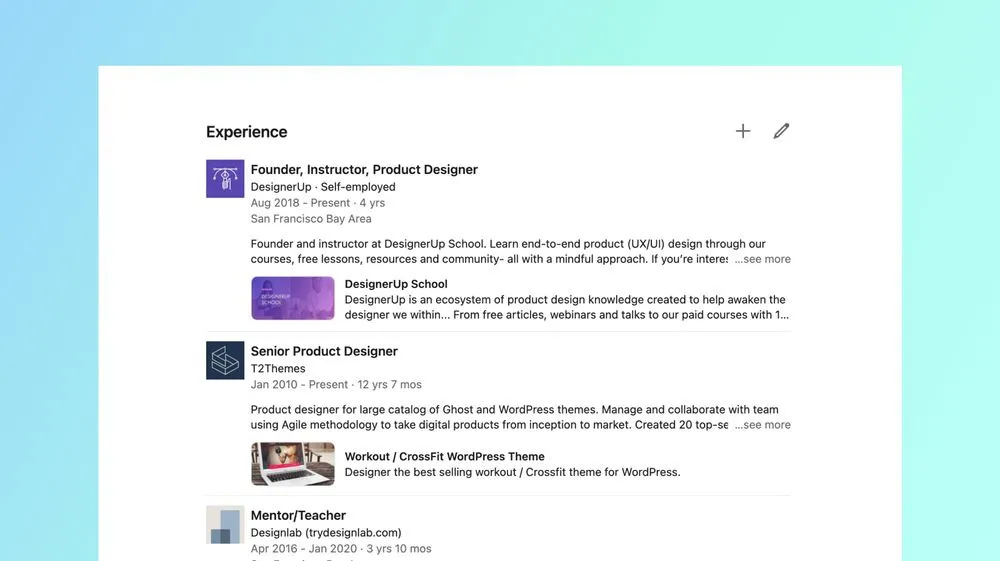
Try switching to first person and a conversational tone as you list your most important achievements. Put the most important information — and a number wherever you can — in the first couple of lines. Recruiters shouldn’t have to fish for information.
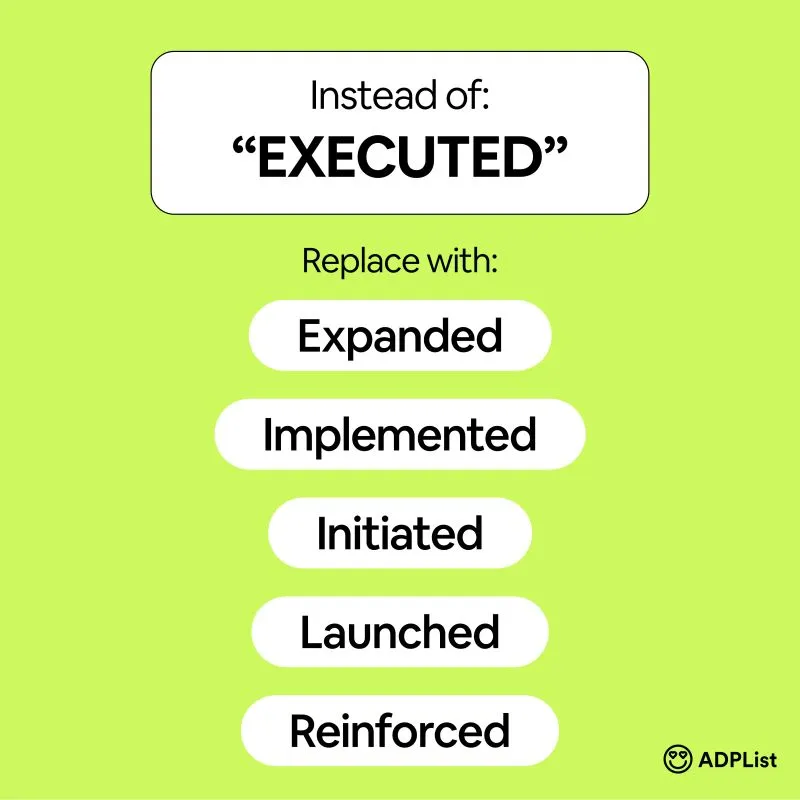
Use keywords that are desirable for your target position: go through job descriptions and pick the skills and tasks you’ve genuinely done. Then swap passive phrases for action verbs — instead of “in charge of,” use “directed”; instead of “worked with,” use “collaborated.”
“To be most successful in leveraging LinkedIn, ensure these things: optimize your profile; be targeted and focused with your headline and ‘personal brand’; and engage, connect, comment and participate in the conversation.”
— Shennee Rutt, Executive Résumé Writer and Career Strategist
The Featured section sits right below your About section and lets you pin posts, articles, links, and media to the top of your profile. It’s the fastest way to show — not tell — a recruiter what you can do.
Curate it like a portfolio: 3–5 items, not 15. Good picks include a case study or portfolio site, a launch you shipped, a talk or article, or a post that performed well. Recruiters will click one or two things at most, so lead with your strongest proof of work.
LinkedIn lets you add up to 100 skills, and they matter more than they look: skills are one of the main filters recruiters use in LinkedIn Recruiter searches.
But relevance beats volume. Prioritize the skills that appear in the job descriptions you’re targeting, reorder so your top skills match your target role, and ask colleagues who’ve actually seen your work for endorsements on the ones that count.
LinkedIn’s #OpenToWork feature has two visibility modes, and choosing the right one matters:
Either way, fill in your job preferences carefully: target titles, locations, and — if you want remote roles — the remote work type. This is how you appear in recruiters’ remote-role searches (there’s no need for the old hack of stuffing “remote” into your location field).
And when the outreach lands, be ready to convert it — here’s how to ace the initial phone screen.
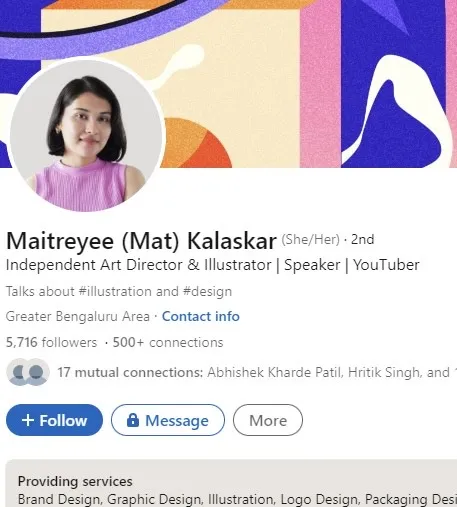
The intro card at the top of your profile is prime real estate. Here’s an optimized example:
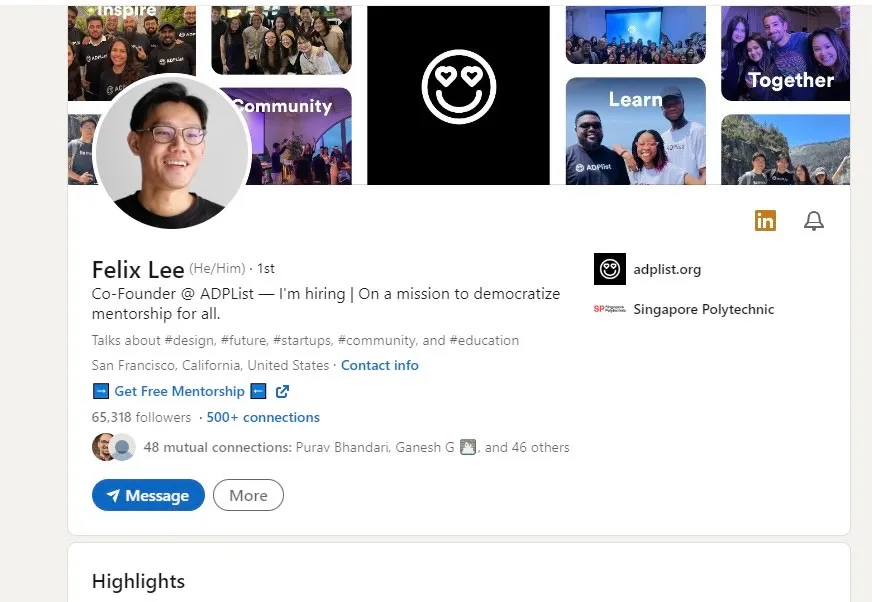
If older guides tell you to “turn on creator mode,” skip that step: LinkedIn retired the creator mode toggle in early 2024. Its features — the Follow button option, post analytics, custom profile links, and newsletters — are now built into every profile by default. There’s nothing to switch on; just use the tools.
A strong profile gets you found; feedback from someone who’s sat on the hiring side makes it convert. On ADPList, you can book a free 1:1 session with career development mentors — including former FAANG recruiters and hiring managers — and get a live profile review.
Pick a mentor who has hired for the exact role you want, and ask them what they look for on a profile. New to mentorship? Start with our guide to finding a mentor, or see how ADPList compares to paid coaching in the mentorship platforms comparison.
Recruiters scan for a credible photo, a keyword-rich headline, a value proposition in the first ~300 characters of the About section, quantified achievements in Experience, and skills that match their search filters. Because they source candidates through LinkedIn Recruiter keyword searches, profiles that name specific roles, tools, and outcomes surface far more often than vague ones.
Complete every section (photo included), put the exact keywords from your target job descriptions in your headline and skills, list a specific city so you appear in metro-area searches, and turn on Open to Work — recruiters-only mode if you’re employed. Posting and commenting regularly also keeps your profile surfacing in feeds and searches.
Use your 220 characters to state what you do, who you help, and one proof point — for example “UI Designer | Creating award-winning Mac apps.” Front-load the first ~70 characters, since that’s all that shows in search results. Avoid “Seeking new opportunities”: no recruiter searches for that phrase.
The signal itself helps — candidates with Open to Work enabled get noticeably more recruiter outreach. The public green frame is fine if you’re between roles or openly searching; if you’re currently employed, use the recruiters-only setting instead, which hides the badge and shows your status only to LinkedIn Recruiter users. LinkedIn tries to hide it from recruiters at your own company but can’t fully guarantee it.
No. LinkedIn retired the creator mode on/off toggle in early 2024. Most of its features — the Follow button option, post analytics, newsletters, and a website link in your intro — are now available to all members by default. One exception: the styled custom CTA button on profiles is a Premium feature; free accounts use the plain intro website link instead.
You have up to 2,600 characters; three to five short paragraphs is plenty. What matters most is the first ~300 characters (less on mobile) — that’s all readers see before the “see more” cut-off, so open with a clear personal value proposition rather than a slow build-up.
Free sessions available with verified mentors on ADPList.
How mentorship can help you stand out and win in your industry
Felix Lee10+ words you should know in the age of AI.
 Meenal Relekar
The top design job boards for 2026, each checked live in October: the best boards for UX, graphic, product, creative and remote design jobs, plus costs.
 Farah Radzi